IV+ AE Architecture Assignment for Mining Department
此页面有 中文 版本
当前正在浏览 English,可一键切换到你的偏好语言 中文。
Foreword
This tutorial applies once you have unlocked inventory import and can use the auto-pull function in the LuV tier. However, when you construct the multiblock mining structure in the IV tier, you can first build the AE system and manually mark the ME import temporarily.
This AE architecture mostly uses tag storage buses for filtering, while also allowing manual tagging of minerals and dusts that require special handling on the storage bus, eliminating the need to write a long list of tag blacklists.
Note that there is a bug in the auto-pull feature of inventory input for version 054. When machines perform parallel or batch processing, using inventory input will cause AE to consume [total item count % (modulo) parallel count] worth of items. This bug will not trigger if the total item count is less than the number of recipes executed per parallel + batch. The consumed minerals are actually negligible compared to the total mineral volume, but if you mind this small amount of ore, you will have to mark them manually ()
Machine Installation
1 crusher, 4 ore washing plants, 8 thermal separators, 2 grinding mills; 1 screener, 1 centrifuge for centrifuging ore powder, 2 electrolyzers for electrolyzing ore powder, 1 smelting furnace and several distillation towers for producing distilled water. The exact number of installed machines can be doubled based on the above.
AE Network Installation
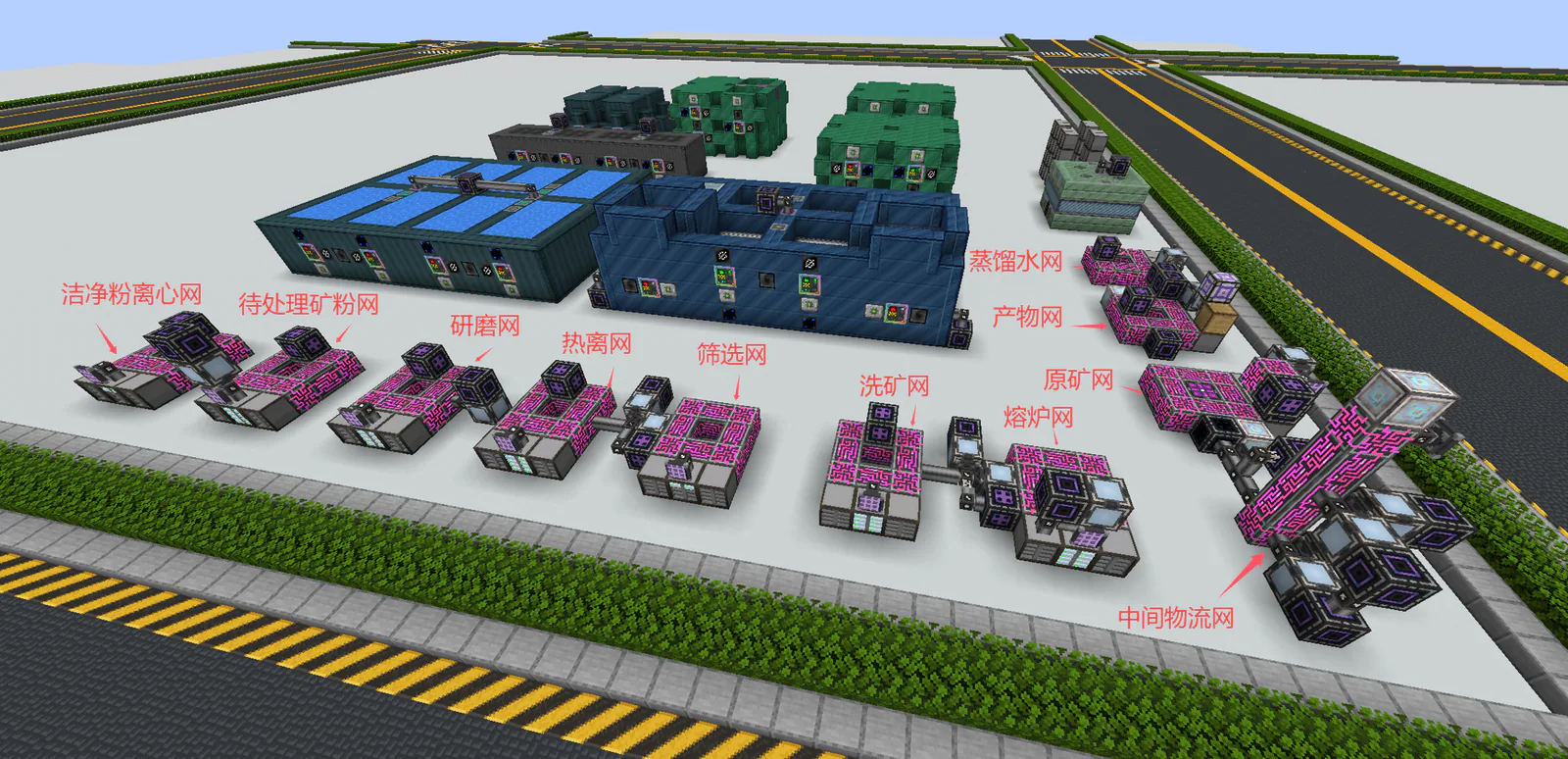
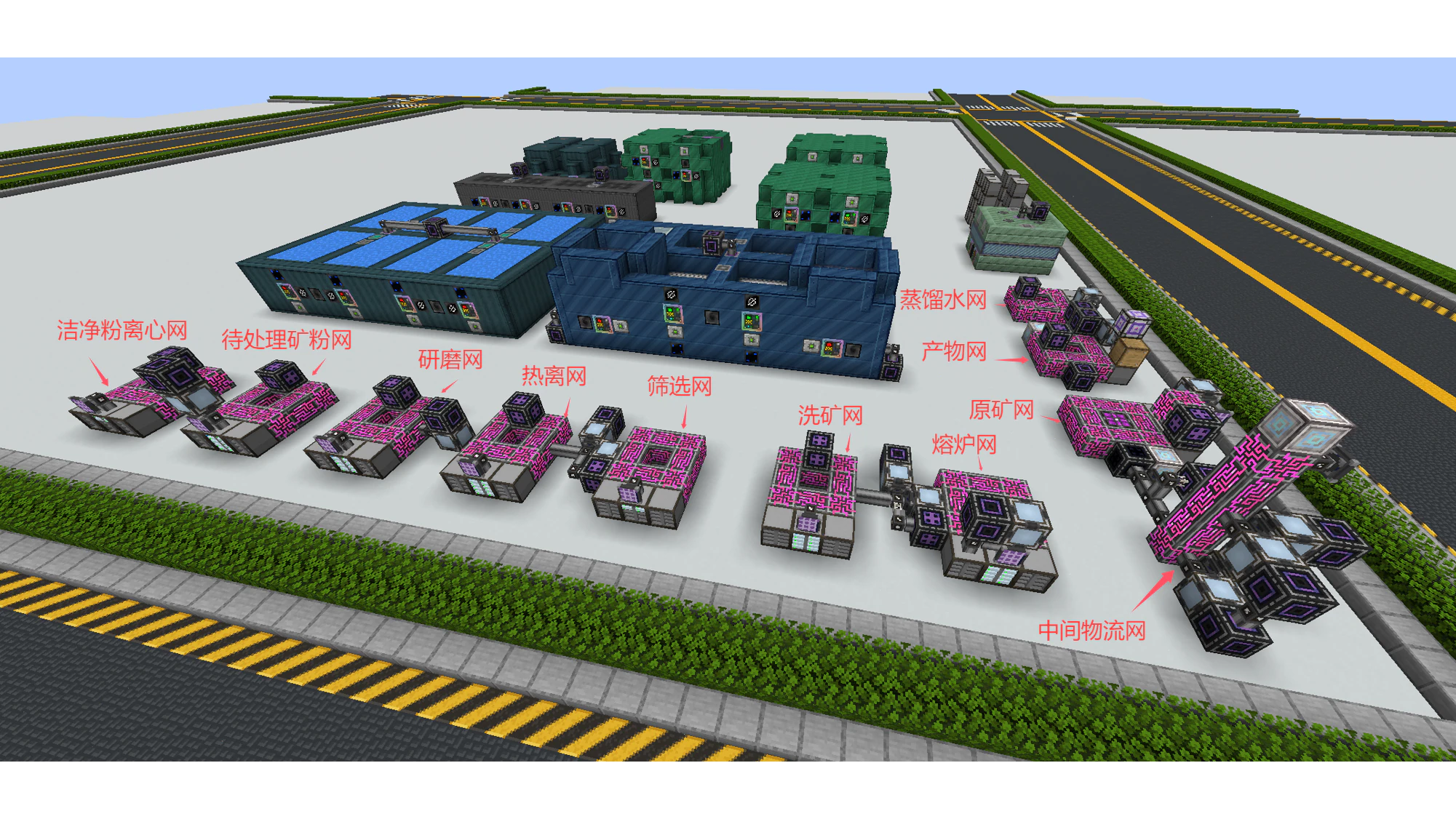
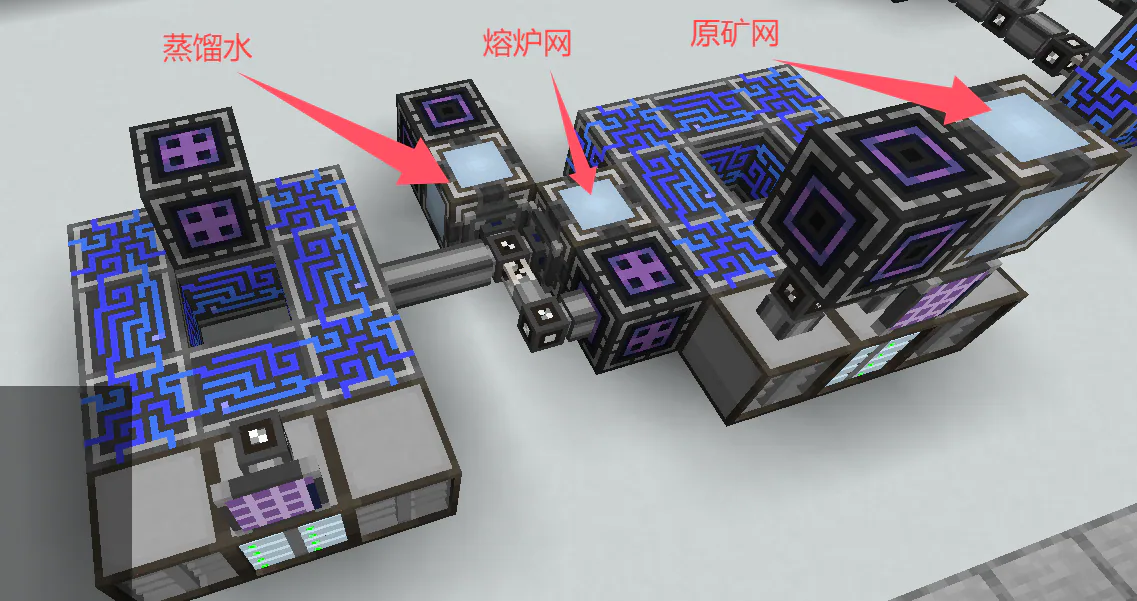
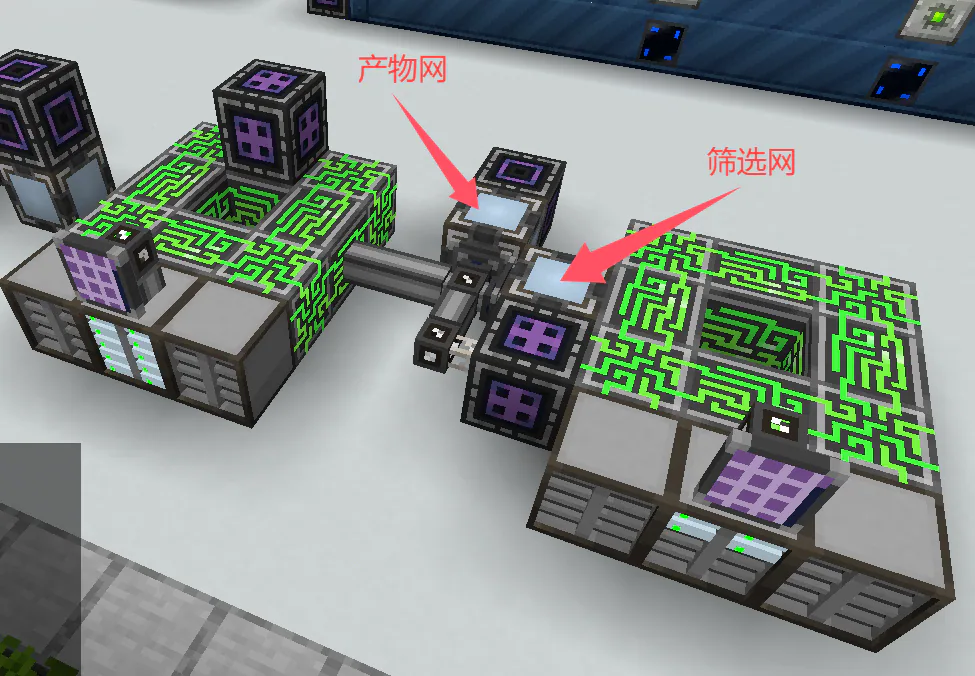
As shown in the diagram, there are a total of 12 AE networks. The raw ore network is used to store mined raw ore. You can install a wireless connection unit on this network to directly connect alien miners. The product network is used to store final products, which can be accessed directly via the main network.
The ore washing network connects to the ore washing plant, the smelting network connects to industrial furnaces, the screening network connects to screening machines, the thermal separation network connects to thermal separators, the grinding network connects to grinders, the unprocessed ore powder network connects to electrolyzers and centrifuges. You need to manually mark the ore powder to be electrolyzed and the ore powder to be centrifuged. The clean powder centrifuge network also connects to centrifuges.
The small AE network above the raw ore screen is the crushing screen, connected to the crusher.
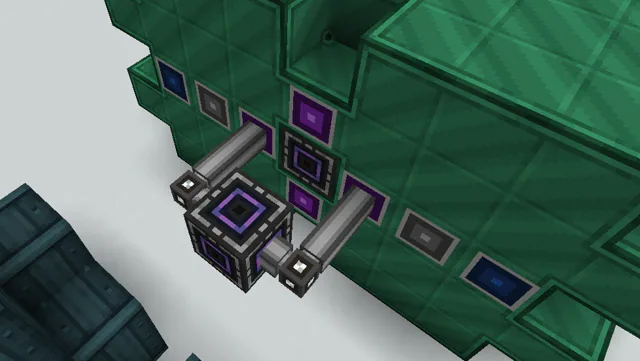
Finally, all output buses connect to the intermediate logistics network. The output bins of the electrolyzer and centrifuge can be directly connected to the product network.
AE Network Logistics
The crushing grid filters minerals accessing the ore network by manually marking the storage bus. Set the storage bus to read-only, add an inverter card, and manually mark the minerals that need to be smelted directly within it.
The core of the network architecture is the intermediate logistics network. This network has no storage space and uniformly distributes the outputs from all ME output buses to different networks. If you have stockpiled a large amount of minerals, including those that are half-processed, you can directly throw them into the IO port guide tray after setting up the network's logistics. The connection of the intermediate logistics network is shown in the figure below.
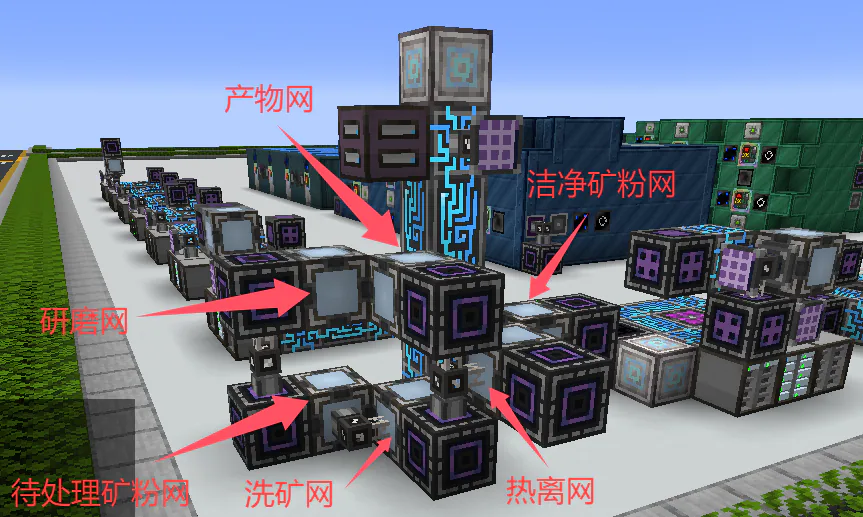
The tag storage bus connected to the pending ore powder network is set to write-only. The tag settings are shown in the image below, used to separate ore powder and various gems.
Note: As of version 0.5.5, the tag gt: has been changed to c:
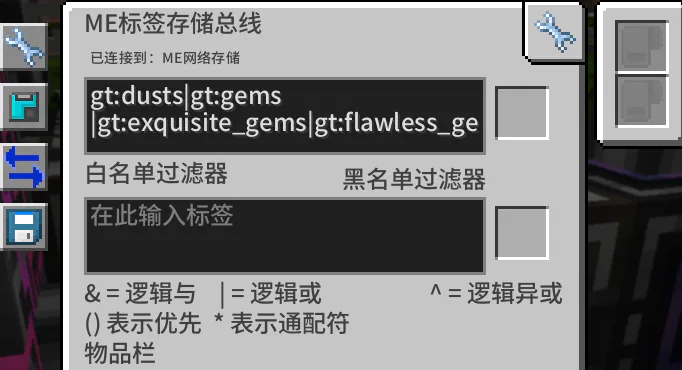
Similarly, the tag storage bus connected to the ore washing network is set to write-only, with the tag configured with a whitelist of c:crushed_ores and an empty blacklist, used for diverting crushed ores.
Set the tag storage bus connected to a hot or offline network to write-only, set the tag whitelist to c:purified_ores, leave the blacklist empty, for diverting purified ores.
Set the tag storage bus connected to the Grinding Network to write-only, configure the whitelist as c:refined_ores, leave the blacklist empty, for shunting refined ores.
Configure the tag storage bus connected to the Clean Dust network to be write-only, set its whitelist to c:pure_dusts, leave the blacklist empty, and use this setup to divert clean dusts.
Set the storage bus of the product network to write-only, as shown in the figure below, which is used to divert some special products without tags, such as coal.
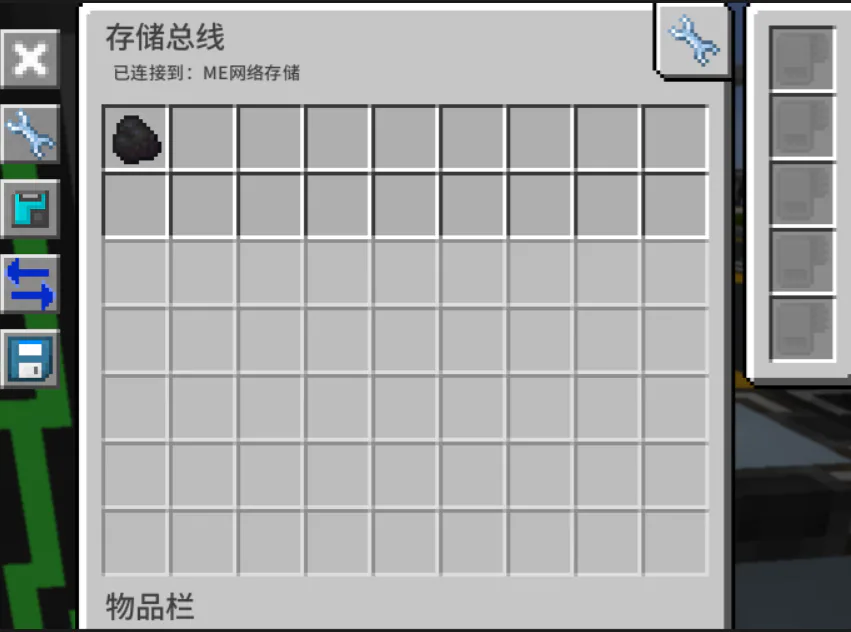
Next are some additional logistics settings. First is the split between ore washing and direct smelting: tap a storage bus from the ore washing network to the interface of the smelting network. Set the storage bus to write-only,Set a higher priority,Then manually mark the crushed ores that need to be smelted directly. This way the crushed ores requiring direct smelting will enter the smelting network straight away. Additionally, this network needs to draw distilled water from the main network. The smelting network also reads ores that need to be smelted directly from the raw ore network. Some ores (such as sulfur ore) only provide a productivity boost when processed through ore processing, but their output volume is large and they cannot be crushed before smelting, so you can choose to smelt them directly.
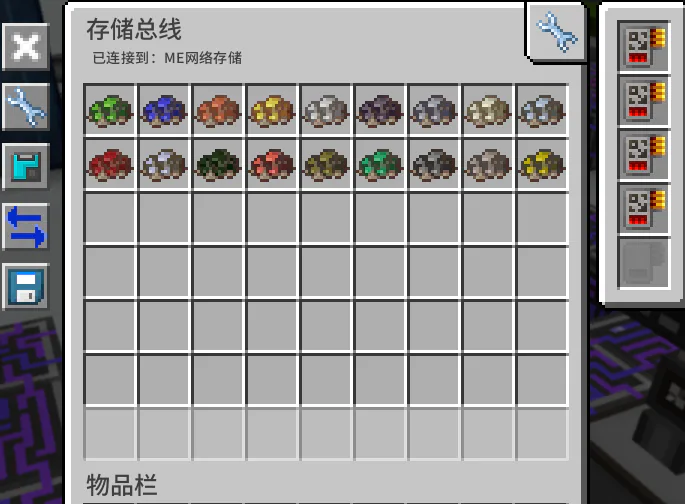
Next is filtering and retaining pure ores that require special processing. Tap two storage buses from the thermal isolation network, set both to write-only,Increase the priority.One is attached to the product network interface, marking the pure ores that need to be retained, such as Sheldonite. The other is attached to the filter network interface, marking the pure ores that need to be filtered.
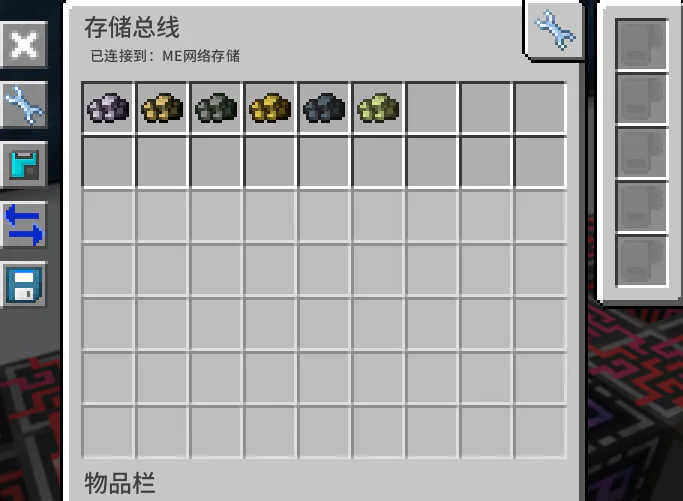
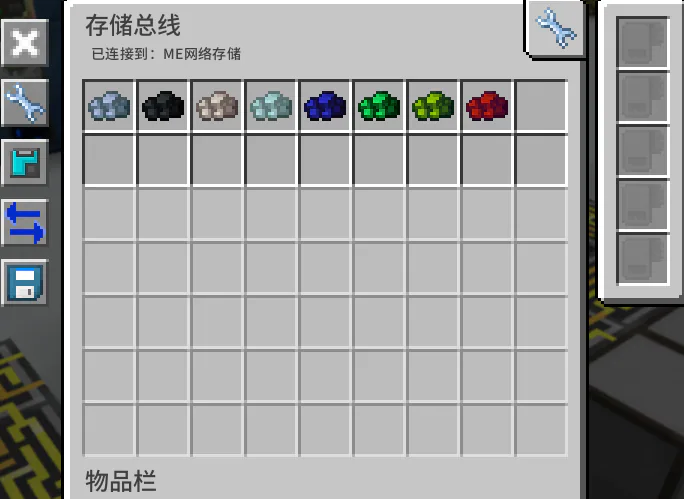
Finally, for the ore powder network awaiting processing, connect a storage bus and attach the product network interface. Set it to write-only,Increase priority, and install an inverter card. Mark the ore powder that requires electrolysis, centrifugation and other processing within it.
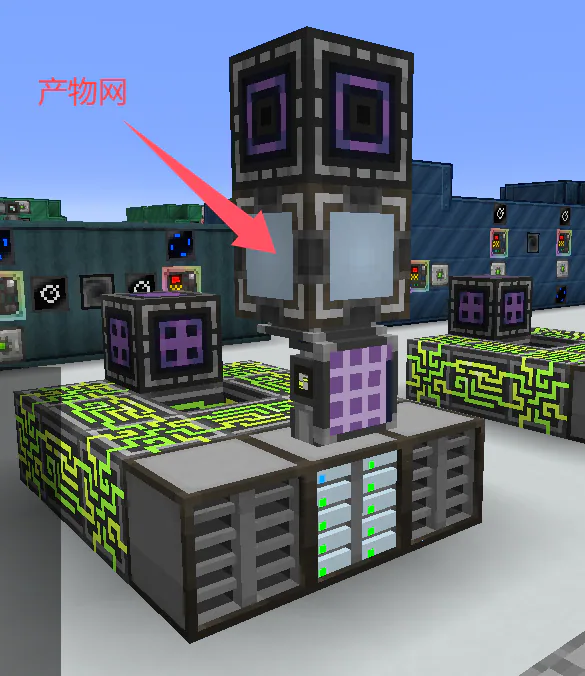
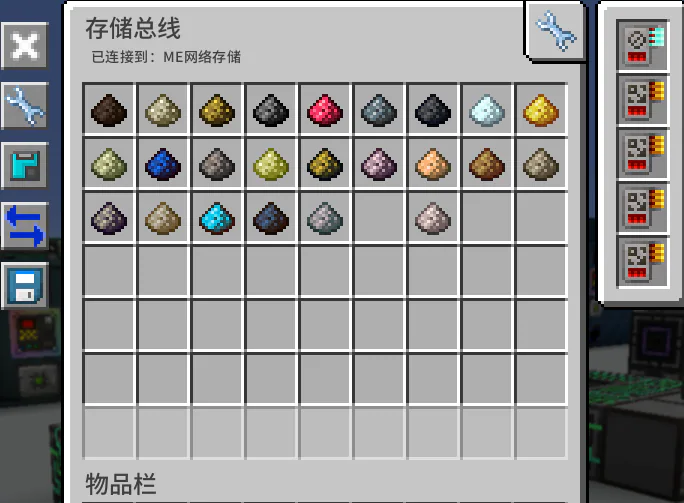
Of course, you can choose to merge the product network and the pending ore powder network, directly connect the product network to the electrolyzer, and manually mark the ore powder that needs to be electrolyzed. I only did this because I didn't want to see these powders flickering around in the main network.
Notes
Make sure each network has sufficient storage space, otherwise logistics issues may arise. For stone powder in the product network, it is recommended to store it using a super chest or drawers, enable the overflow destruction function, otherwise half of your storage disks will be filled with stone powder (), or you can just destroy it directly.