
Guide to Starting to Play GTO
Chat Groups and Communities
Please join at least one chat group or chat room to find fellow enthusiasts,Get the latest updates anytime
GTO QQ 1 Alpha group: 927923997 (Full)
GTO QQ 2 Beta group: 532385262 (Full)
GTO QQ 3 Gamma group: 1091812286 (Recommended)
GTO Discord:Discord
GTO Github:Github(Problem feedback and feature suggestions)
GTO Paratranz(en):Paratranz(en)
GTO Paratranz(ru):Paratranz(ru)
GTO Afdian:SURIED is creating GTO | Afdian
GTO Patreon:https://patreon.com/Suried
About GTO
GregTech-Odyssey is a Greg-themed modpack centered around GregTech with deep performance optimizations, featuring350+ multiblock structures, interesting gameplay mechanics, functional chambers that increase production scale, and integrated magic mods to enrich the overall gameplay experience. As the core mod, GTOCore not only deeply customizes the game progression but also introducesMachine Combination Mode (which enables automatic switching of machine operating modes) and multithreading optimization, and addsStructural Module Gameplayand enhanced functionality for EMI and AE 's functionality. After extensive modding, the modpack achievesfaster startup times, significantly improved FPS,and maintains excellent smoothness and stability even in late-game large-scale automation and multiblock structure scenarios.
Game Launcher
To ensure the optimal gaming experience, it is strongly recommended to use PrismLauncher as the preferred launcher. Using other launchers may cause abnormal resource loading, loss of modified vanilla item recipes, and other issues that will affect normal gameplay.
If you only need to play in offline mode (i.e., without a genuine account), you can download this version:Diegiwg/PrismLauncher
Modpack Files
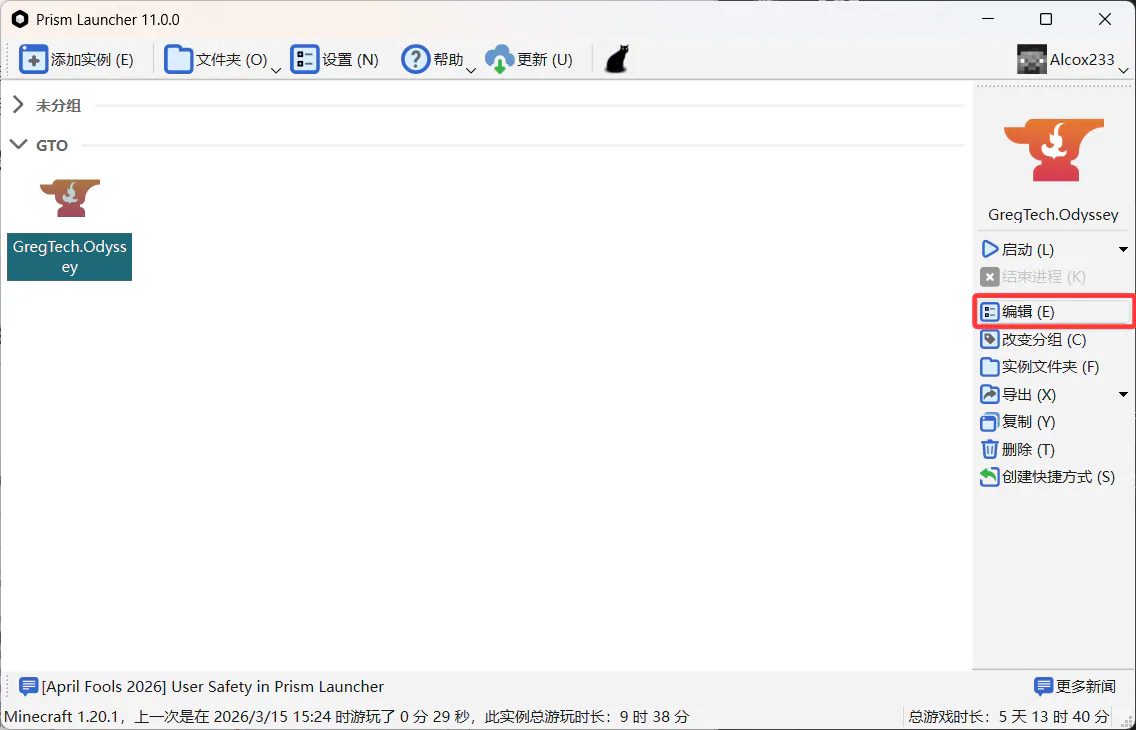
in the project's Releases page to download GregTech.Odyssey-[版本号].zip the modpack file, then import it to create an instance in Prism Launcher. After importing, set the instance's switch the Java version to Java 25, and adjust the allocated memory appropriately based on your device's performance.
Adjust Game Difficulty
After successfully launching the game, you can adjust the game difficulty via the following path:Main Menu → MOD → Search for GTOCore → Configuration → Gameplay → Game Difficulty,Or set it directly on the Create New World screen. After adjusting, be sure toRestart the game. Please note that,Never change the game difficulty while playing,Otherwise, the save file may become inaccessible. The differences between difficulty levels can be referenced inDifficulty Feature Guide.
Java Settings
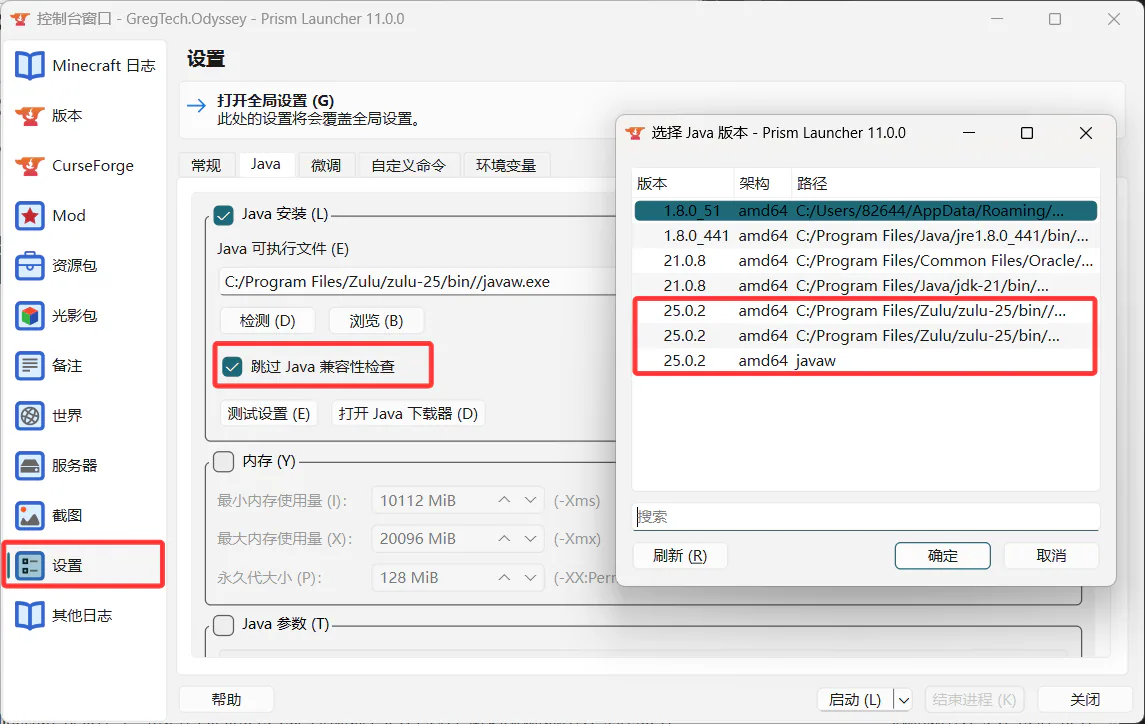
GTO currently supports Java 21, 25, and 26. We recommend using Java 25. We may change the compatible Java versions at any time.
Launch the game using Java 25, and tick the box to skip Java compatibility checks
How to Update Modpacks
Visit Releases page, download the latest GregTech.Odyssey-[version number].zip client modpack. After successful installation, your old client'ssaves, gtceu, xaero, options, resourcepacks, shaderpackscopy to the new client directory to complete the upgrade and retain your data
MOD-related
Do NOT add I18N, as it will overwrite the modpack's Chinese localization resources and cause translation errors (for Chinese players)
Do NOT add additional AE2 add-on mods. This modpack uses a self-forked and maintained AE2 version, which is likely incompatible with mainstream AE2 add-on mods